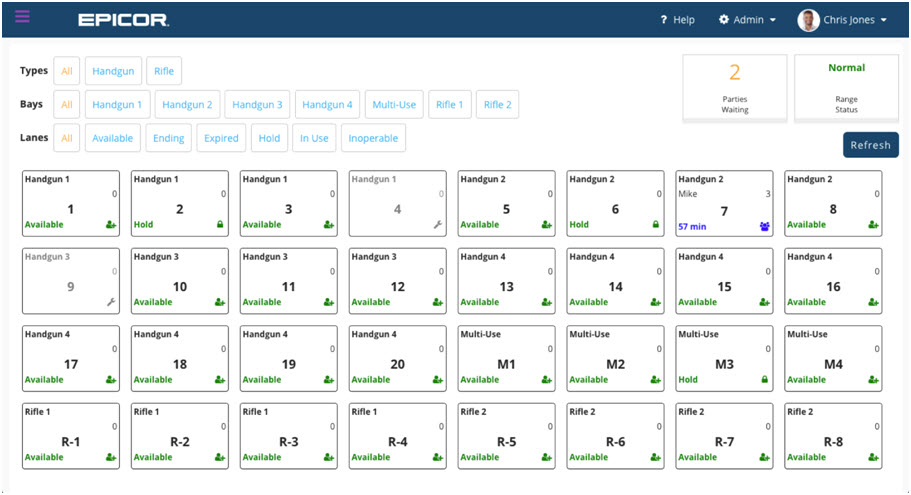
The Epicor advantage for firearms retailers and shooting ranges.
Epicor has developed—and continuously extends and improves—a complete, integrated suite of software and cloud solutions designed to help firearms retailers and shooting range operators become more streamlined and efficient, improve customer service, and grow their business, all while staying compliant and limiting business risk.
The Epicor Firearms retail solutions—Epicor Eagle, Epicor Range Management, and Epicor FFL Compliance Manager—can help you:
With the seamless integration between Epicor Range Management and Smartwaiver, you can quickly move shooters through registration and into range lanes.
Smartwaiver integration allows customers to complete an online waiver which is then automatically imported into Range Management where it can be viewed, verified, and/or printed. These waivers are initially designed by the customer and uploaded to Smartwaiver.
You will need to contact Smartwaiver to get your API key: https://www.smartwaiver.com
Once the key is available, click Admin and then Settings & Licenses.
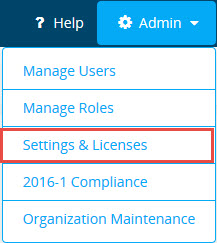
In the section labeled Smartwaiver API Key, enter the key provided by Smartwaiver.

Save your changes by clicking the Save button at the top of the screen:

The integration setup is now complete. Customers may now complete the waiver online and they will receive an email asking for confirmation.
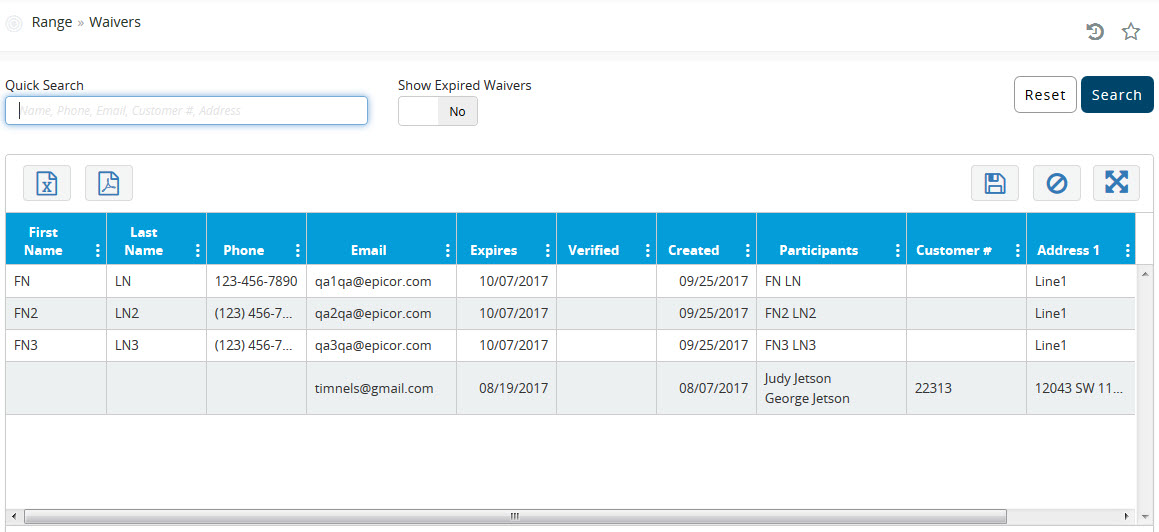
In the section Range > Waivers, you can search for a specific customer by entering their name in the Quick Search field and clicking Search. By default, the Show Expired Waivers toggle is set to No and waivers that have been verified by email will show a green check-mark in the Verified column.
Clicking on the Show Expired Waivers toggle will change it to Yes and waivers that have expired will show in the grid.
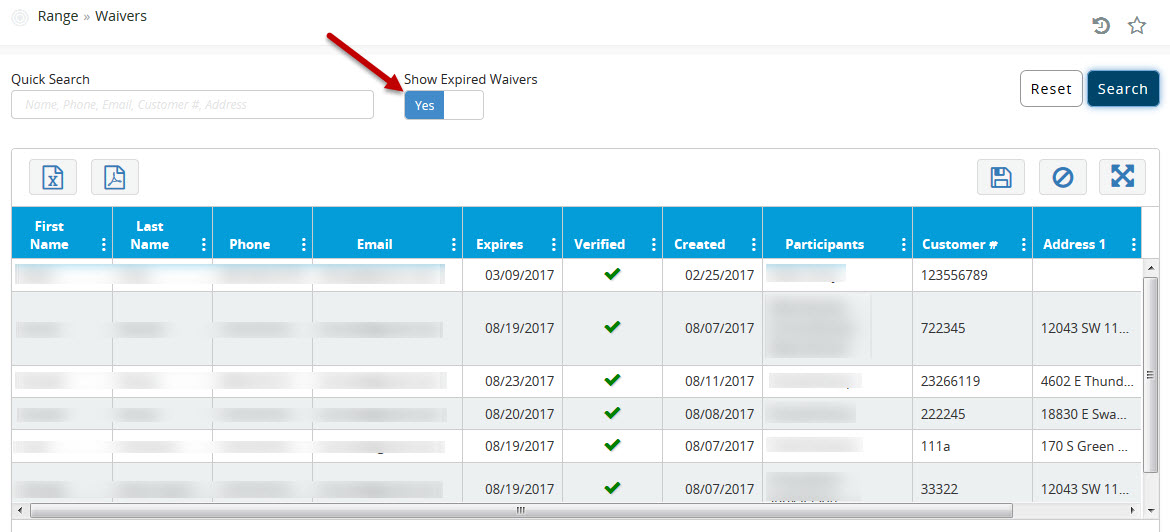
You can select a specific waiver by clicking on the desired row.
Clicking the  button will export the list to excel.
Clicking the  button will export/view the waiver in
PDF format.
button will export/view the waiver in
PDF format.
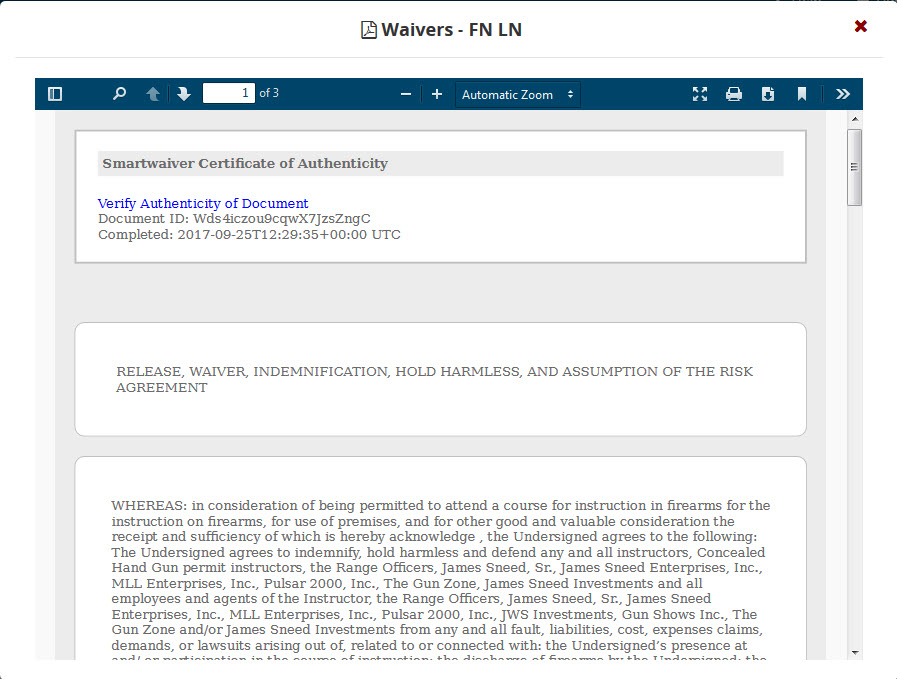
Below is an example of a waiver viewed in PDF format:
Epicor Software Corporation drives business growth. We provide flexible, industry-specific software designed around the needs of our customers. Epicor Range Management is a one-of-a-kind, automated solution built specifically for managing gun ranges. Epicor Range Management, with its intuitive, easy-to-use interface and seamless Smartwaiver integration, can help improve customer service by quickly checking in shooters, seamlessly adding liability waivers, and assigning shooters to lanes. For more information about Epicor and all of our solutions, please visit www.epicor.com.
The contents of this document are for informational purposes only and are subject to change without notice. Epicor Software Corporation makes no guarantee, representations, or warranties with regard to the enclosed information and specifically disclaims, to the full extent of the law, any applicable implied warranties, such as fitness for a particular purpose, merchantability, satisfactory quality, or reasonable skill and care. This document and its contents, including the viewpoints, dates, and functional content expressed herein are believed to be accurate as of its date of publication, October 2017. The results represented in this testimonial may be unique to the particular user as each user’s experience will vary. The usage of any Epicor software shall be pursuant to the applicable end user license agreement, and the performance of any consulting services by Epicor personnel shall be pursuant to applicable standard services terms and conditions. Usage of the solution(s) described in this document with other Epicor software or third-party products may require the purchase of licenses for such other products. Epicor, the Epicor logo, FFL Compliance Manager and Eagle are registered trademarks or trademarks of Epicor Software Corporation in the United States, certain other countries and/or the EU. All other trademarks mentioned are the property of their respective owners. Copyright © 2017 Epicor Software Corporation. All rights reserved.